Payment model
7-day free trial, then one lifetime purchase for the included scanner and PDF tools.
 KPDF Scanner
7-day free trial, then a once-off lifetime purchase.
KPDF Scanner gives you 7 days to scan documents, use OCR, add signatures, manage PDF pages, protect files and export finished PDFs before a once-off lifetime purchase.
KPDF Scanner at a glance
KPDF Scanner includes a 7-day free trial before a once-off lifetime purchase. You pay once through Google Play for premium document scanning, OCR, signatures, PDF editing, AES-256 protection and export tools. It is not a monthly subscription scanner.
7-day free trial, then one lifetime purchase for the included scanner and PDF tools.
Scan with color, grayscale or black-and-white modes, edge detection, crop adjustment and document enhancement.
Use automatic OCR with 15 language options, then export recognized text as Word DOCX or plain TXT.
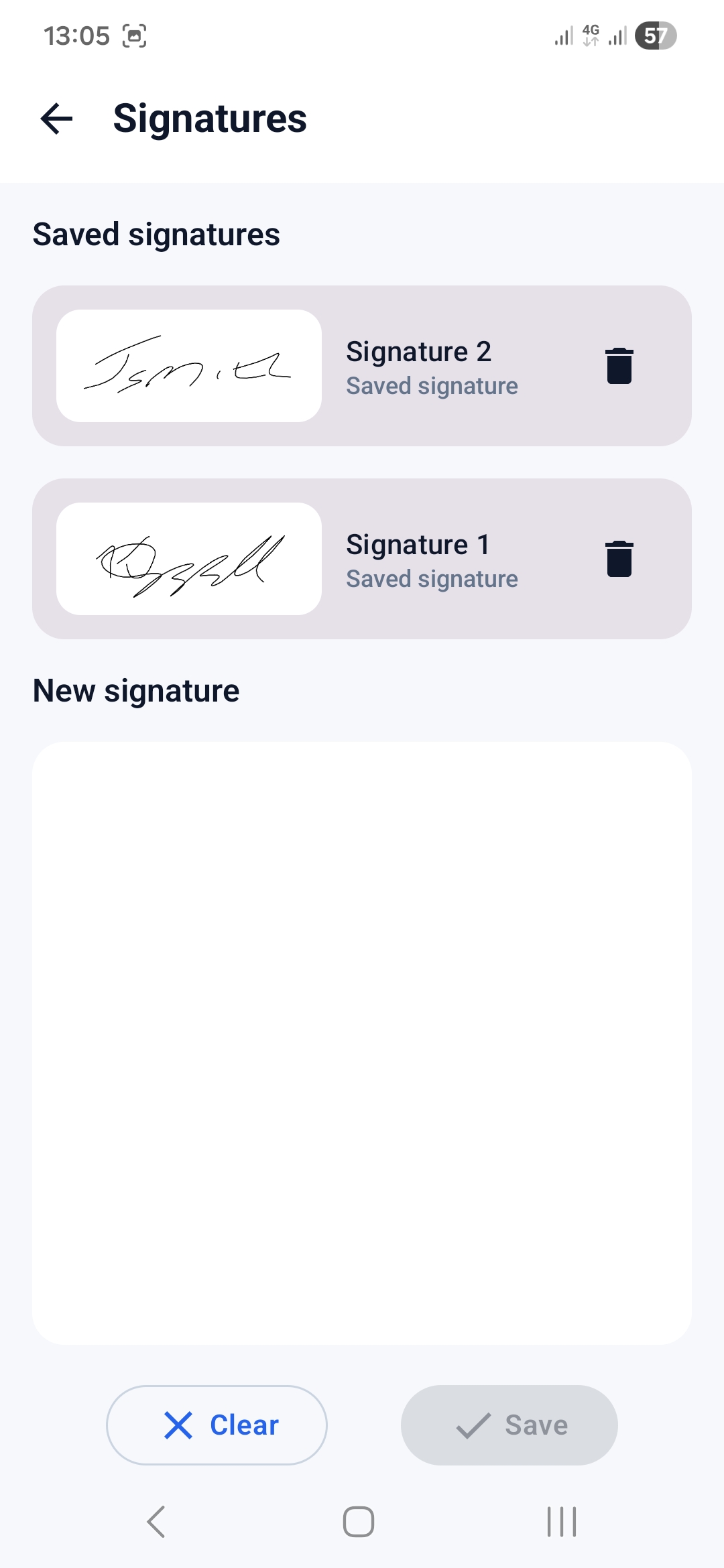
Merge, split, compress, rotate, reorder, delete pages, add signatures, annotate and protect PDFs with AES-256 encryption.
App screenshots
Preview the core screens used for scanning, editing, OCR and export.
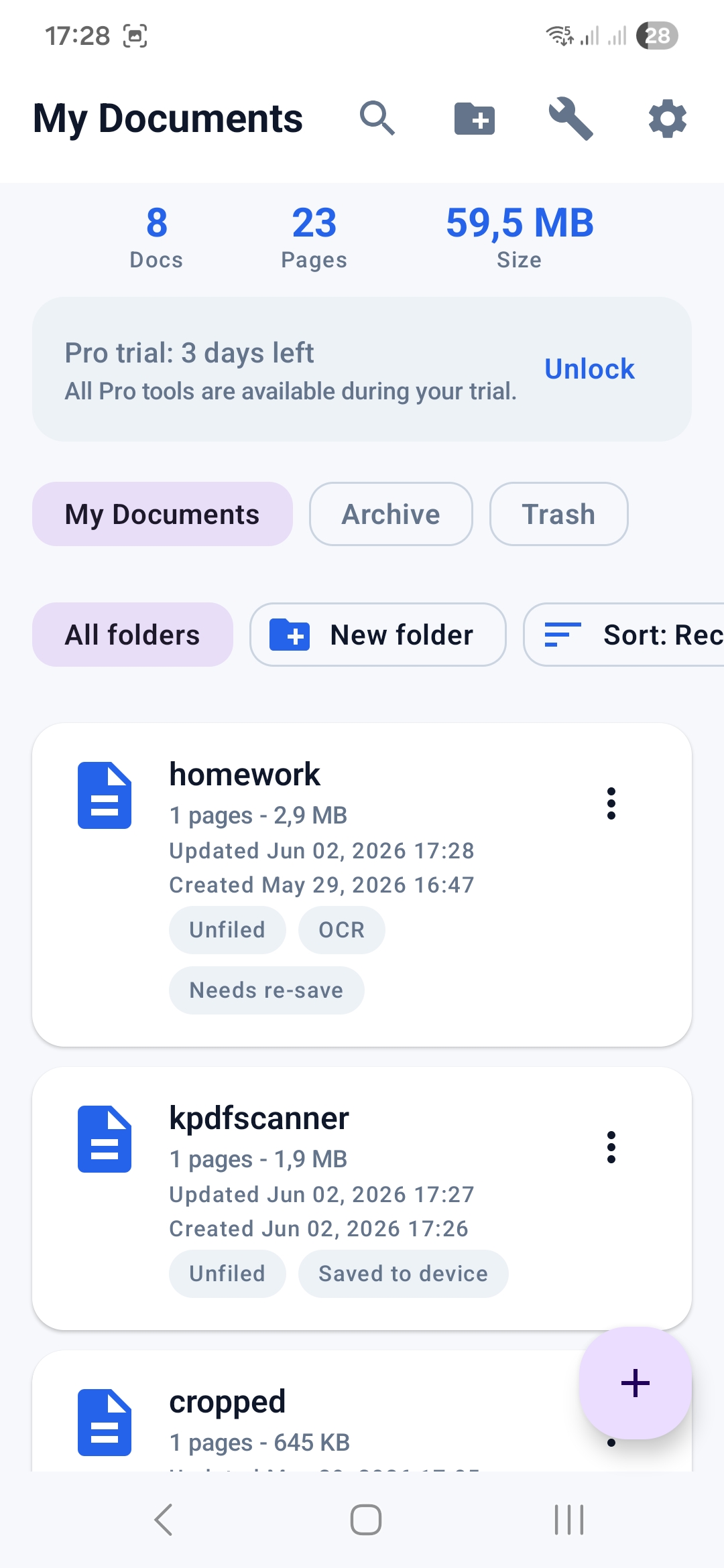
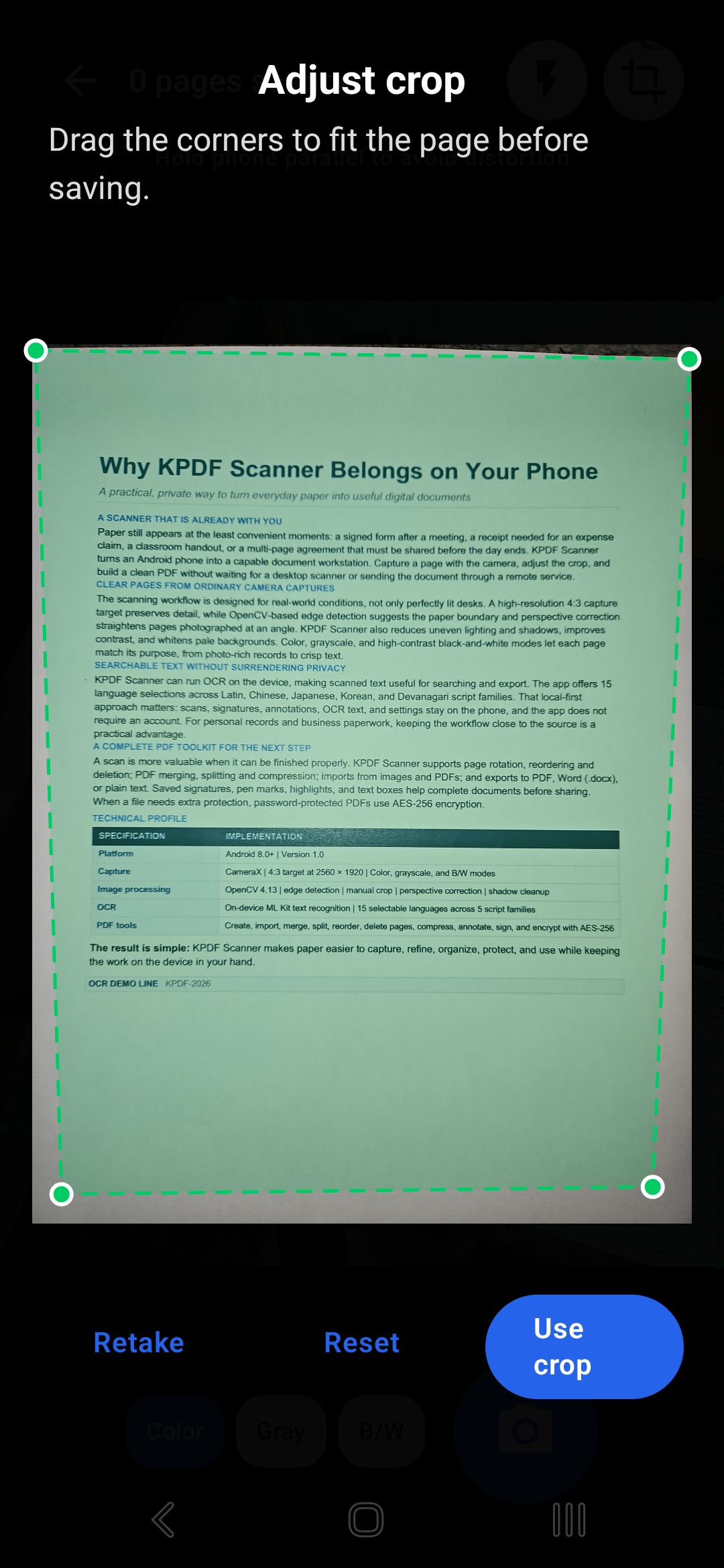
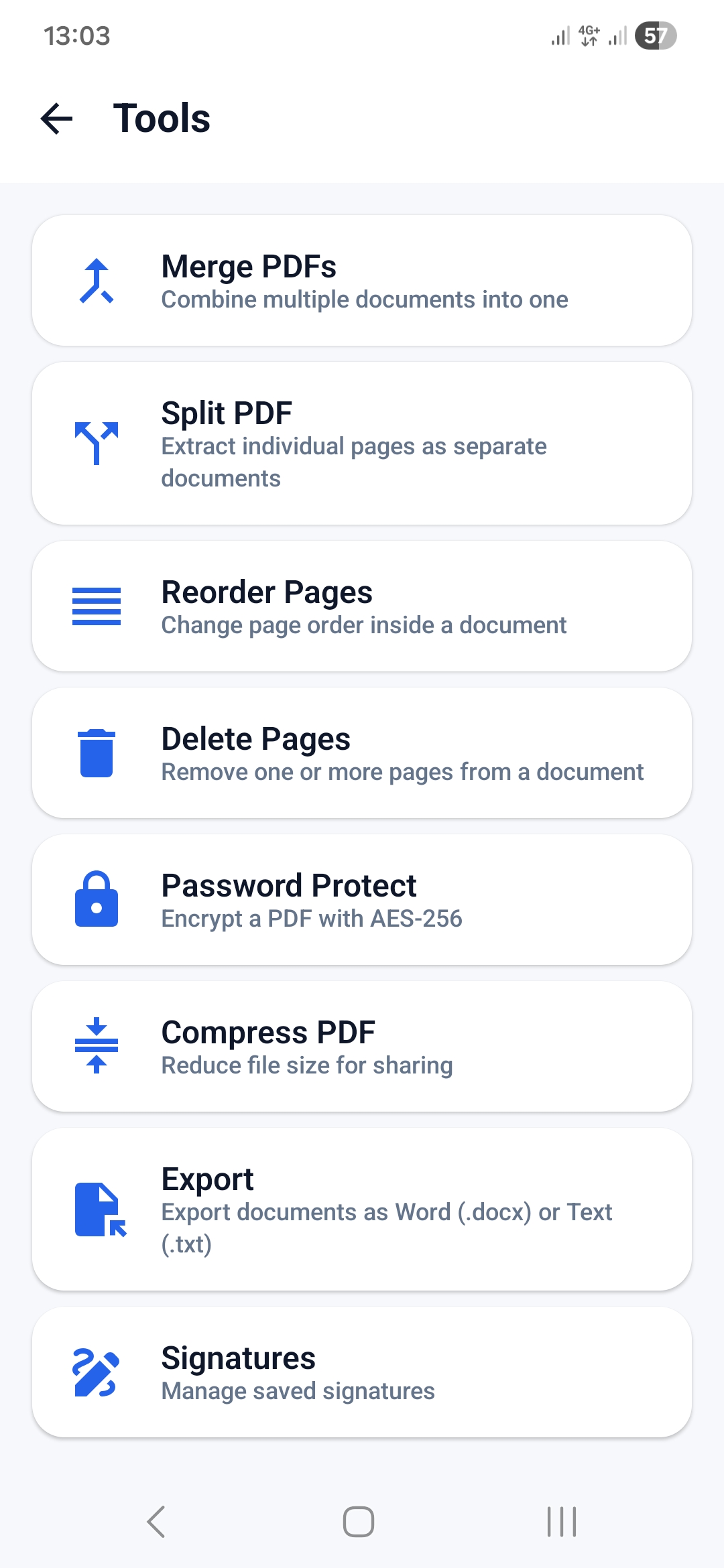
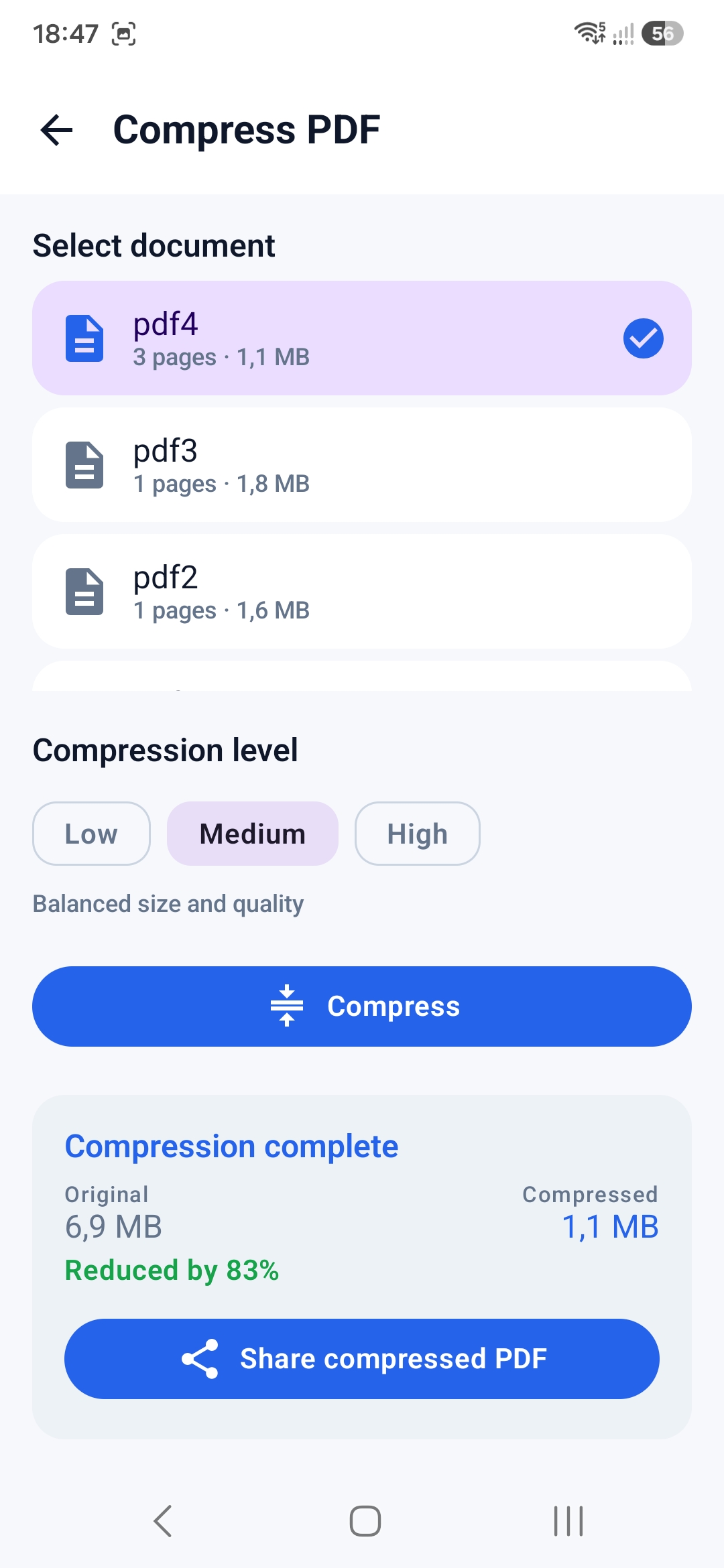
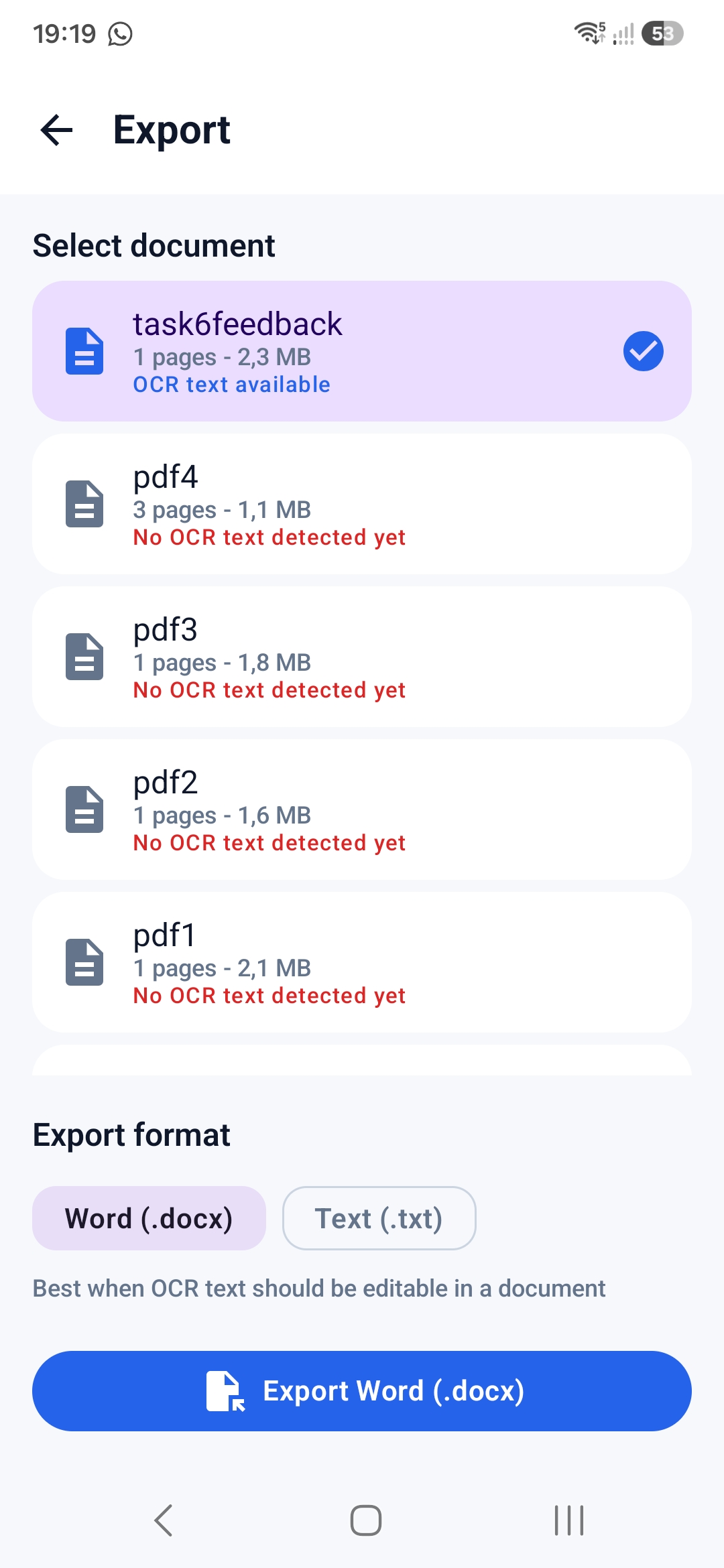
Capture documents with edge detection, manual crop adjustment and page cleanup controls.
Run OCR and export recognized content as Word or plain text when the document needs to be reused.
Merge PDFs, split documents, reorder pages, rotate pages, delete pages and compress files.
Add saved signatures, draw annotations and protect PDFs with password encryption before sharing.
Product approach
Many scanner products are built around sync accounts. KPDF Scanner keeps local document handling central and does not force a cloud account to use core tools.
The main tools are grouped around document jobs: scan, clean, recognize text, manage pages, sign, protect and export.
KPDF Scanner is built around a 7-day free trial followed by a once-off lifetime purchase, with regional pricing handled through Google Play.
Workflow
Scan or import pages, clean them up, run OCR, adjust the PDF, add a signature or password protection, then save or share the finished file.
Main selling point
$4.99
After the 7-day free trial, Google Play pricing may vary by country, tax, exchange rate and store configuration.
View trial and pricingAvailable now
Download KPDF Scanner from Google Play, try it free for 7 days, then unlock Lifetime Pro once and keep using the included PDF scanner tools.